
Best Zebra Blinds for Home Offices & Productivity

Best Zebra Blinds for Home Offices & Productivity
Working from home changes how a room needs to perform. A window treatment that looks fine in a bedroom or living room can become distracting once screens, video calls, afternoon sun, and privacy all matter at the same time.
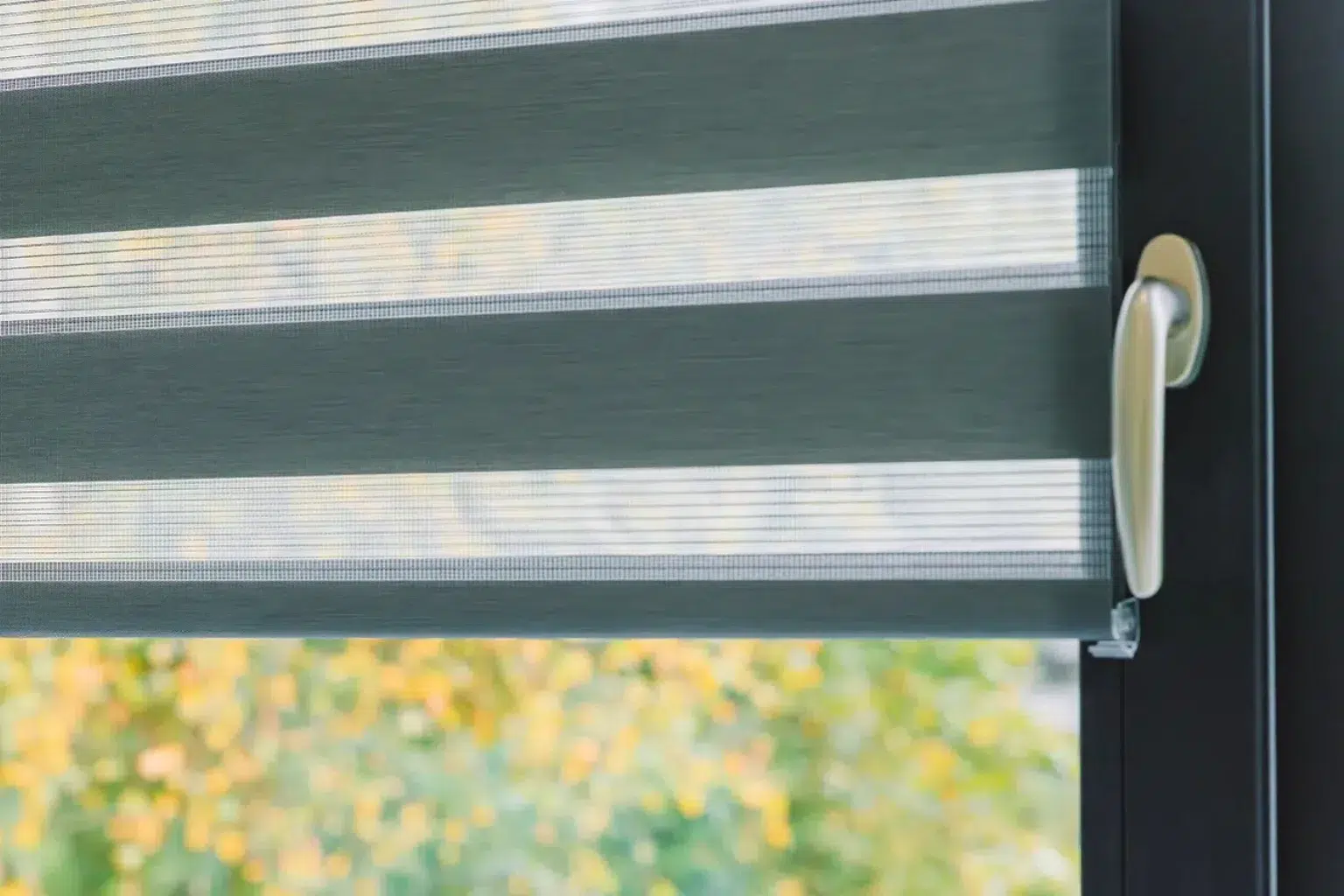
Zebra blinds are a strong fit for home offices because they give you quick control over light without closing the room off completely. Their alternating sheer and solid fabric bands let you soften glare, brighten the room, or add privacy with a simple adjustment.
Why Zebra Blinds Work Well in a Home Office
A productive office needs a steady balance of light and comfort. Too much sunlight can wash out a screen, while a dark room can feel tiring by mid-afternoon. Zebra blinds help manage both problems because they shift between filtered light and more coverage.
Unlike standard roller shades, zebra blinds offer more than open or closed positions. You can align the sheer bands for daytime brightness or overlap the solid bands when you need privacy. That flexibility helps during focused work, online meetings, and admin tasks.
Related Article: Light Control in the City: how Zebra Blinds Help with Privacy in Toronto Apartments
Start With the Direction of the Window
Window direction should guide your fabric choice. A home office facing south or west often receives stronger sun, especially later in the day. This can create harsh glare, heat, and squinting during video calls.
For these rooms, choose zebra blinds with a denser fabric or a darker neutral tone. They will filter light more effectively and reduce bright reflection on monitors.
North-facing offices usually receive softer light. A lighter zebra blind can keep the room open and bright while still adding privacy.
East-facing rooms may need extra control in the morning, especially if your desk sits near the window.
Choose Fabric Opacity For Screen Comfort
The best home office zebra blinds reduce glare without making the space feel closed. Fabric opacity plays a major role here.
Light-filtering zebra blinds are usually the best everyday choice. They soften daylight, help protect screens from direct brightness, and keep the office pleasant for long work sessions.
Room-darkening zebra blinds work better when the room has intense sun or when privacy is a top concern. They can also help if your office doubles as a guest room.
A beautiful fabric can still perform poorly if it lets in too much brightness or blocks more light than you need. Productivity comes from choosing the right level of control first, then matching the look to the room.
Related Article: Zebra Blinds Colours Ideas for Every Room
Pick Colours That Support Focus
Colour affects both style and concentration. In a work area, the safest choices are calm neutrals that sit quietly in the background.
Good options include:
- Soft white for bright, clean offices
- Warm beige for traditional rooms
- Light grey for modern workspaces
- Charcoal for stronger glare control
- Taupe for warmer interiors
White and light grey zebra blinds can make smaller rooms feel more open. Beige and taupe work well with wood desks, warm flooring, and cream walls. Charcoal or deeper grey can help reduce visual brightness in rooms with strong sunlight.
Busy patterns may look interesting at first, but they can become distracting behind a desk or on camera. A simple fabric usually works better for a professional home office.

Think About Your Video Call Background
Many home offices now need to look good on camera. Zebra blinds can help create a clean, controlled backdrop without making the space feel staged.
If your window appears behind you during calls, choose a fabric that avoids harsh contrast. Bright white blinds in a sunny window can sometimes look blown out on camera. A soft neutral or light grey may look smoother.
Privacy also matters. During daytime calls, sheer bands can let light in while limiting a clear view from outside. For evening work, overlapping the solid bands gives more coverage once interior lights are on.
Consider Motorized Zebra Blinds
Motorized zebra blinds are useful in home offices because they reduce interruptions. Instead of leaving your desk to adjust the window, you can change the light with a remote, wall switch, or smart home setup.
This is helpful when:
- Sun moves across your screen during work
- A video call starts and you need quick privacy
- The window is behind a desk
- The blind is large or hard to reach
- You prefer a cleaner look without cords
Motorized blinds also support safer, tidier rooms because they remove dangling cords. For offices shared with children or pets, that can be a practical benefit.
Related Article: Do Motorized Blinds Need Electricity?
Measure For a Clean Custom Fit
A custom fit matters more in a home office than many people realize. Small gaps can create annoying light streaks across a monitor. A blind that sits unevenly can also make the room feel unfinished.
Custom zebra blinds are measured around the window frame, mounting depth, trim, handles, and how the blind will sit when raised. This helps prevent friction, crooked movement, and poor coverage.
Inside mounts create a neat built-in look when the frame has enough depth. Outside mounts can cover more glass and reduce side light gaps. The right choice depends on the window, wall space, and how much light control you need.
Match the Blind to the Way You Work
The best zebra blinds are chosen around real habits, not just room style. A writer who works in soft morning light may need a different fabric from someone who edits videos beside a bright west-facing window.
Ask yourself:
- Where does the sun hit during work hours?
- Does glare appear on your monitor?
- Do you take calls with the window behind you?
- Do you need privacy from neighbours or street view?
- Will the room be used in the evening?
These answers help narrow your choices fast. For a quiet writing room, a light-filtering neutral may be enough. For a client-facing office, a smoother fabric and clean cassette may matter more. For a screen-heavy setup, stronger light control should come first.
Book a Home Office Blind Consultation
Zebra blinds can make a home office feel brighter, calmer, and easier to work in. The right fabric helps control screen glare. The right colour supports focus. The right fit keeps the window clean, functional, and professional.
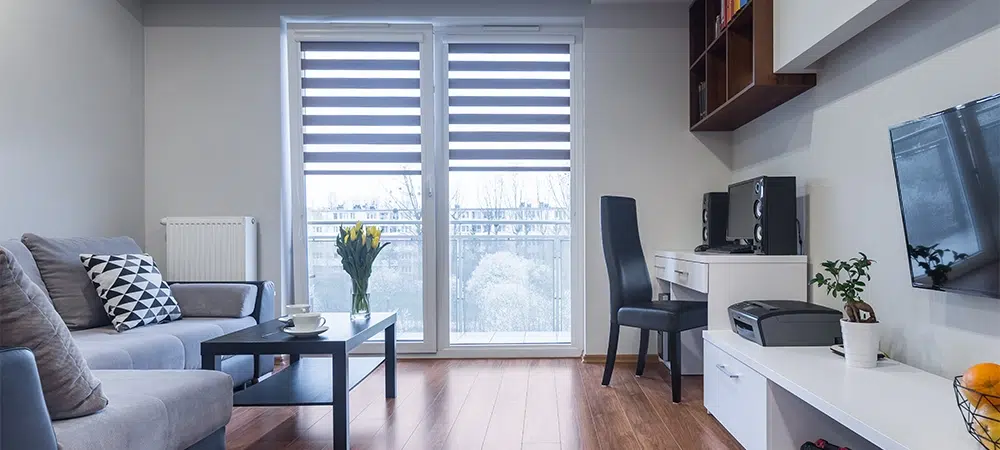
Blinds Toronto can help you compare zebra blind fabrics, colours, opacity levels, and motorized options for your Toronto home office. With in-home measuring and installation, you can choose blinds based on how your room actually works through the day.
Book a free consultation and find zebra blinds that support privacy, comfort, and better focus at home.
Frequently Asked Questions
How do zebra blinds help with video calls?
Zebra blinds help create a cleaner video call background by softening bright window light and reducing harsh contrast. They also add privacy when your office faces a street, condo, or neighbour, so your workspace feels more comfortable during calls.
Are zebra blinds better than curtains for a home office?
For many home offices, zebra blinds are more practical than curtains because they sit close to the window, look cleaner behind a desk, and adjust more precisely. Curtains can still work for softness, but they need more wall space.
How often should office zebra blinds be cleaned?
Dust zebra blinds every one to two weeks with a microfibre cloth or vacuum brush attachment. For marks, spot clean gently with a lightly damp cloth. Regular cleaning keeps the fabric fresh, especially near desks, vents, and busy work areas.
Can zebra blinds work in a small condo office?
Yes. Zebra blinds work well in small condo offices because they have a slim profile and do not take up floor space. A custom fit helps the window look clean, while filtered daylight keeps the room from feeling closed in.
Do zebra blinds help a shared office feel more organized?
Yes. Zebra blinds give shared offices a cleaner look because the fabric rolls neatly and keeps the window area simple. They suit rooms used for work, studying, reading, or meetings, especially when the space needs to shift between tasks.